
read-only
v1.0.1
early access
When a drive corrupts, what usually breaks is the index — the list telling Windows where each file starts. The files are still there. MR RECOVER reads the drive itself, and never writes a single byte back to it.
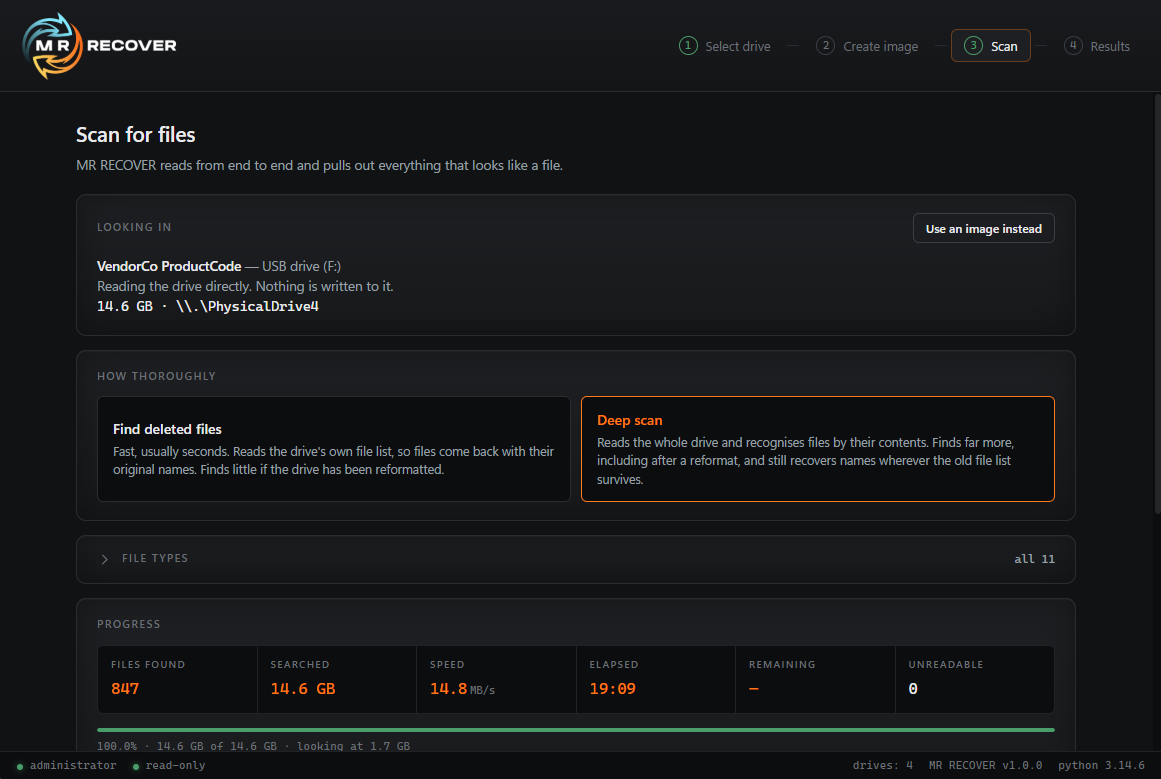
Reads the drive's own file list. Usually seconds, and names come back intact.
Reads end to end and recognises files by their contents. Finds far more, including after a reformat.
Copy a failing drive to an image first, then scan the copy instead of the hardware.
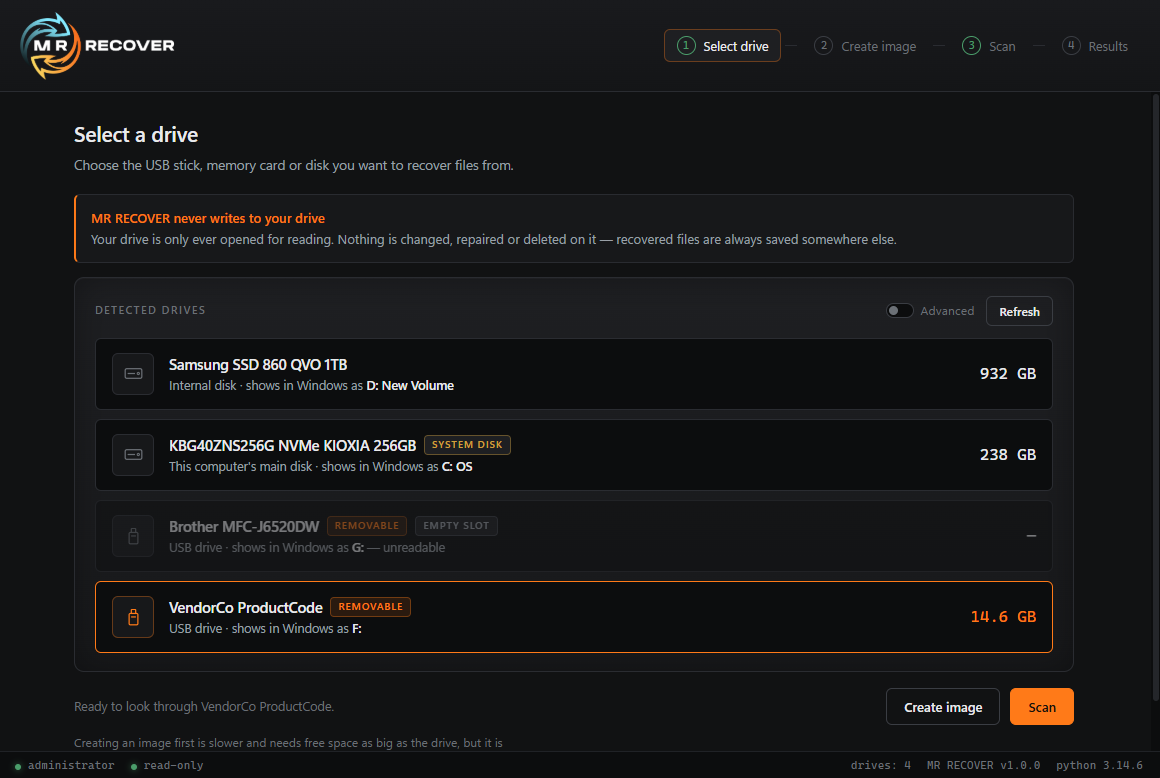
The drive is opened for reading only. Nothing is changed, repaired or deleted on it, and recovered files are always saved somewhere else.
No installation. Copy it to a USB stick and run it from there — which matters when the machine you're recovering from is the one that's broken.
Each drive is listed with its model, size and letter, not a cryptic device path. You shouldn't have to guess which disk is which.
Choose the USB stick, memory card or disk you want to recover files from.
Optional. Copy the drive first if it's failing, then work from the copy instead.
Pick quick or deep. Progress, speed and files found update as it reads.
Look through what was found, choose what you want and save it somewhere else.
Early users keep full features permanently. If paid tiers arrive later, nothing you have now will be taken away.
Optional, but worth doing for unsigned software. Open PowerShell in the folder you saved it to and run:
Get-FileHash MRRecover-1.0.1.exe -Algorithm SHA256
The result should match the SHA-256 above. If it doesn't, the file didn't download cleanly — fetch it again rather than running it.
Once a file is deleted, the space it occupied is free for something else to overwrite. The less the drive is used afterwards, the more there is left to recover.
Don't save anything new to it, and never save recovered files back onto the same drive.
MR RECOVER isn't code-signed yet, so Windows SmartScreen shows a blue "Windows protected your PC" box on first run. That appears for any new program without a certificate and isn't a sign anything is wrong with the file.
Click More info, then Run anyway. Windows remembers the choice and won't ask again.
Unusual drives are exactly what early access is for. If one isn't detected, a scan doesn't finish, or the results aren't what you expected, tell us — that's what shapes the next version.
Windows listed four files, all with garbled names. Another recovery tool found about twenty. MR RECOVER brought back the whole drive — with the original filenames intact.
A colleague brought in a corrupted USB drive. Windows could see the drive itself, but as far as the operating system was concerned, everything on it beyond those four entries was gone.
A deep scan read the drive end to end and recovered its full contents. Enough of the old file list had survived for MR RECOVER to put the real names back, rather than the numbered placeholders carving tools usually fall back on.
| Visible in Windows | 4 files, names garbled |
| Another recovery tool | ~20 files |
| MR RECOVER, deep scan | Entire drive, names intact |
Corrupted USB drive · recovered during early access testing